Complete owner workflow
How PrivateBooks works, from first statement to preparer handoff.
A detailed, plain-English guide to what the app does, what you confirm, what the readiness checks mean, and how your local data stays recoverable.
Current availability: this guide describes the current v4 behavior under source and development-package testing. No verified public v4 installer is currently available. v4 has not been released, submitted to either app store, production-signed, notarized, or store-certified.
First: is PrivateBooks a fit for your books?
The clearest fit is a US sole proprietor or single-member LLC owner who has bank and card statement files, wants to keep financial records local, and is organizing a 2025 Schedule C handoff. You do not need a PrivateBooks account, bank connection, or chart of accounts.
It is deliberately not payroll, invoicing, live bank feeds, inventory management, bank reconciliation, tax filing, or professional advice. Partnership, S-corp, and C-corp modes can organize neutral bookkeeping summaries, but PrivateBooks does not calculate or certify Forms 1065, 1120-S, or 1120. Schedule C calculation is currently supported for 2025 only.
The Schedule C calculation has limits too. Car and truck costs are prepared for one vehicle only; if the business used more than one vehicle, the package stays a draft and your preparer works out the vehicle lines. PrivateBooks does not calculate depreciation or section 179: Line 13 stays blocked until you confirm the amount came from your preparer or a completed Form 4562. If you have cost of goods sold, Line 4 is calculated only after you confirm there was no beginning or ending inventory, nothing taken for personal use, and no other Part III cost; otherwise your preparer works out Line 4. Money from selling a business vehicle or equipment belongs in the Sale of Business Property (Form 4797) category, which keeps it off Schedule C; PrivateBooks does not calculate Form 4797.
1. Create the business and choose guided suggestions
- Choose the entity type that matches how the business is actually taxed. If you are unsure, ask a preparer; the software cannot decide entity status for you.
- Enter the business name and active year. EIN is optional and stays in your local books. Report headings show only its last four digits; the filled Schedule C draft prints the full EIN in box D.
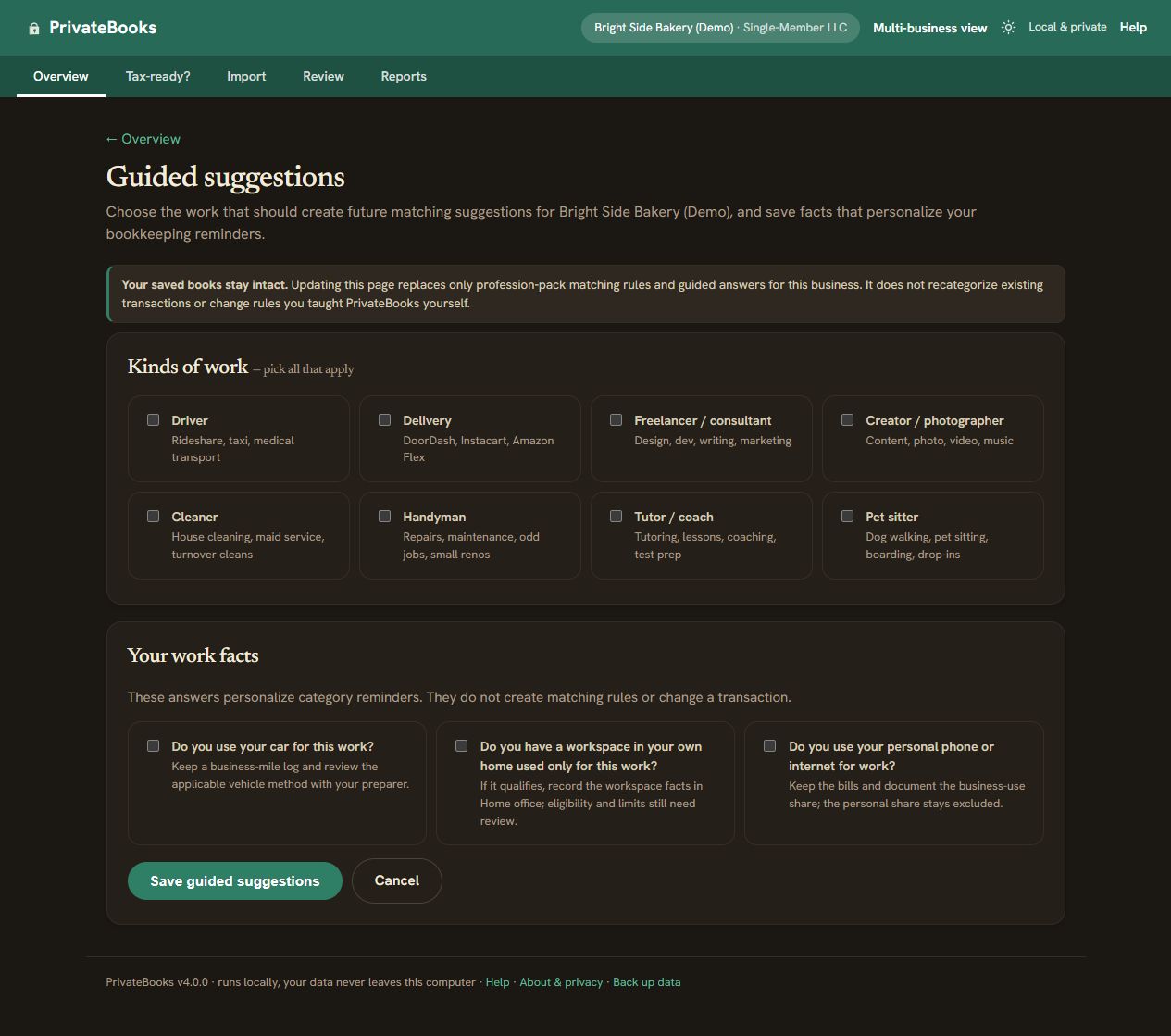
- Choose the kind of work you do and answer the short guided questions. PrivateBooks adds common bookkeeping categories, merchant suggestions, and plain-English primers for that profession.
- Review those suggestions. A category being common for your profession does not establish that an expense is ordinary, necessary, business-only, substantiated, or deductible in your situation.
You can revisit guided setup. Future suggestions can be updated without overwriting your manual corrections or changing a closed year.
2. Add every account that carries business activity
Add business checking, savings, each credit card, payment processors such as PayPal or Stripe, cash, and any loan or line-of-credit account you actually use. Complete account coverage matters: a clean checklist cannot detect a statement or cash account you never added.
PrivateBooks never asks for a bank username or password. You obtain statement files from the bank or card provider yourself, then select them locally.
3. Import through a preview — never a blind upload
- CSV is the recommended format. It supports common single-amount and separate debit/credit layouts, several date layouts, and US/European number formats.
- Use PDF as best-effort input. Text-based statement PDFs may work, but bank layouts vary. A scanned or photographed page, password-protected PDF, or page with no readable transaction rows stops with an explanation and a CSV, unlocked-file, or manual-entry path.
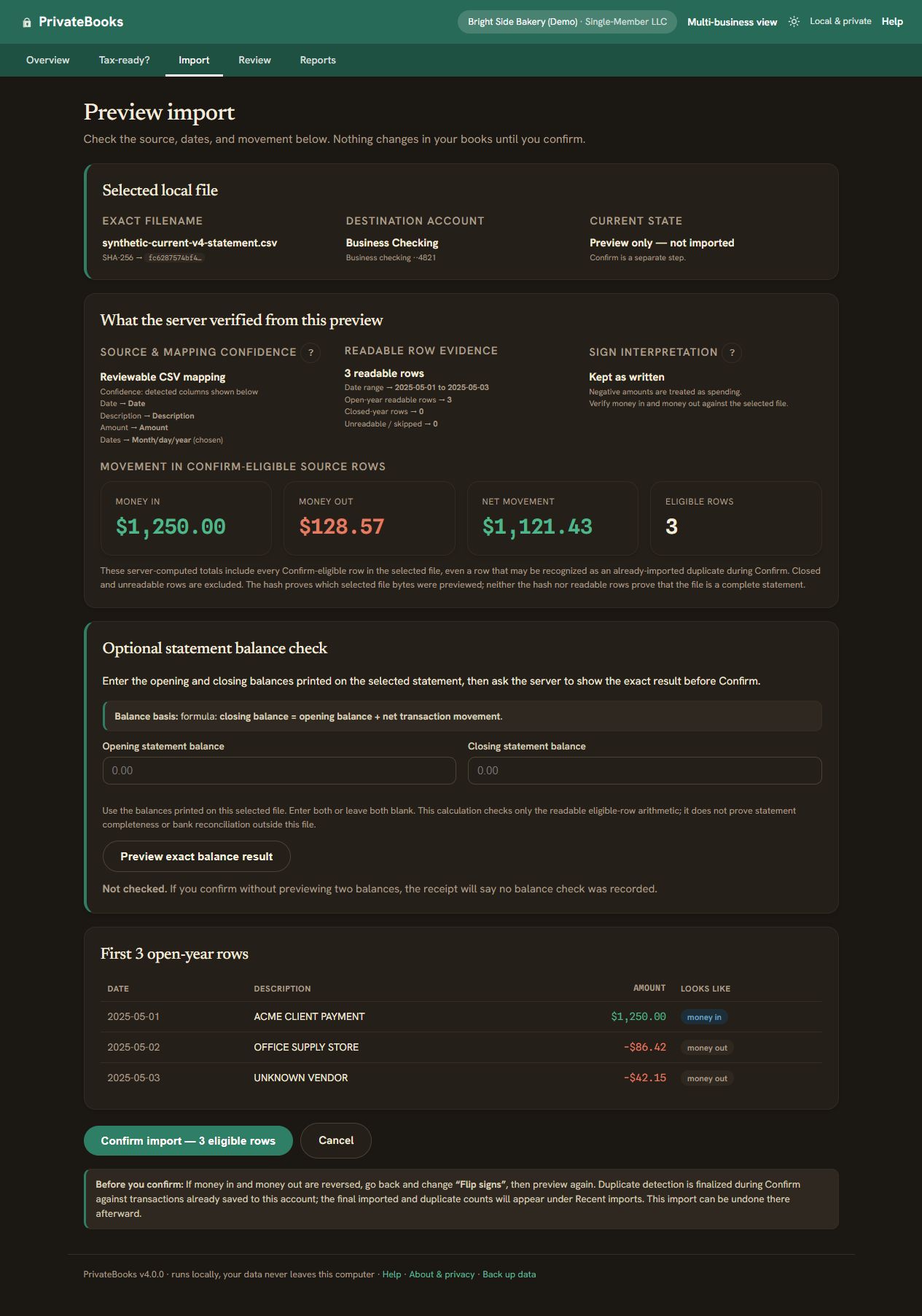
- Inspect the preview. Check the detected columns, date order, money direction, each readable row, duplicate plan, source SHA-256, and—if you enter printed opening/closing balances—the balance arithmetic.
- Confirm only when it looks right. Nothing is saved until you confirm the preview. If signs or dates are wrong, go back, change the option, and preview again.
Duplicate detection cannot prove that every statement period or row is present; fingerprints only reduce repeat imports and overlapping-statement duplication. A matching balance calculation also does not prove full statement coverage or an independent bank reconciliation. Keep the original statement.
Cash, checks, and genuinely missing activity can be added with the manual-transaction form. Imported source facts stay locked as evidence; categories, splits, notes, and receipts remain correctable.
4. Review suggestions, teach carefully, and recover from mistakes
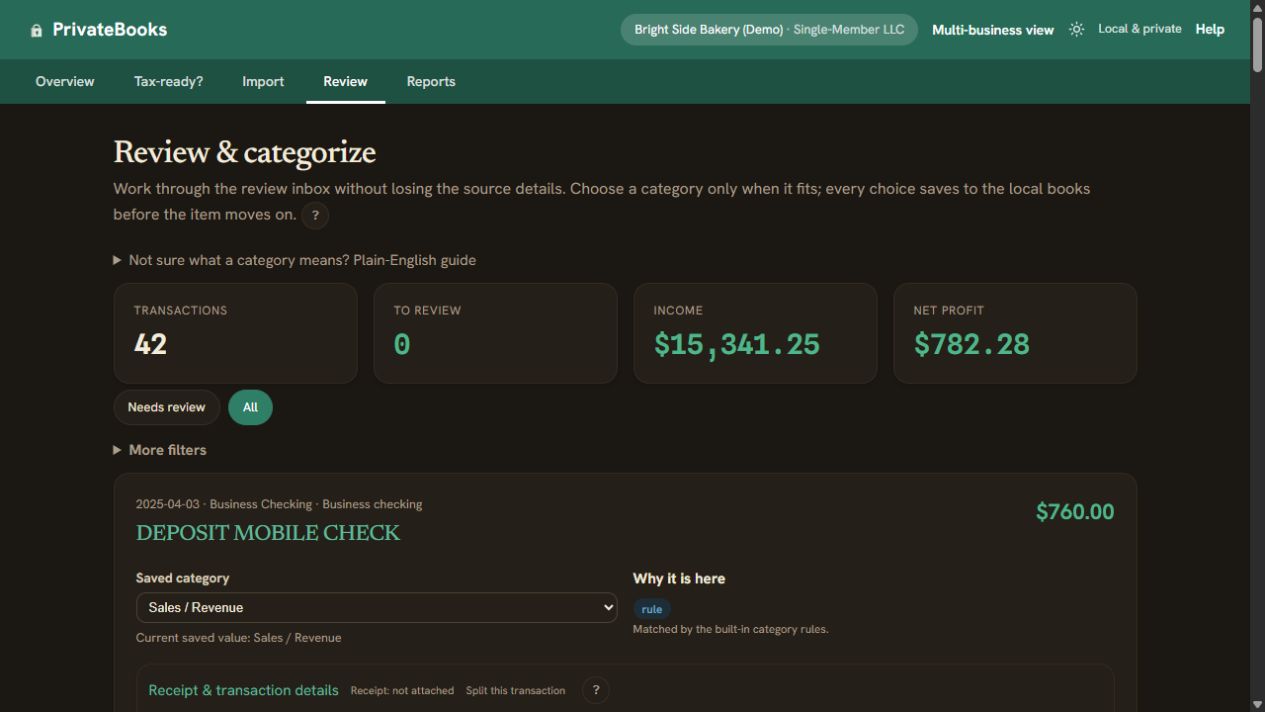
- Suggestions stay visible. Built-in and business-type rules suggest a category for descriptions they recognize. They deliberately make no guess for some common payees, because the bank line cannot show what the money was for: generic deposits and Zelle, Venmo, PayPal or Cash App money in; loan payments; payments to state and local tax offices; general stores such as Amazon, Walmart or Target; consumer phone and internet bills; government fines; medical payees; and coffee shops. Those rows wait in Review, most with a short hint. A coffee counts as a meal: choose Business Meals only if you (or your employee) were with a client, customer or other business contact, or were traveling away from home on business overnight or long enough to need sleep or rest. Rows without a category are excluded from tax totals until resolved. Check every suggested row too, under “Suggested categories”: change any that are wrong and confirm the rest. The Schedule C package stays a draft until you do, because the merchant name alone cannot prove business use or tax eligibility.
- Manual means protected. Choosing a category saves it as a manual decision that a later auto-classification run does not overwrite.
- Teach affects a narrow set. “Apply to similar” creates an editable rule for the merchant name in the description and applies the choice to that merchant’s other rows, including ones a built-in rule suggested; those rows wait under “Suggested categories” until you confirm them. Rows you set by hand and closed years are never changed. A description with no merchant name, or whose words also appear in another merchant’s rows, changes only that row. Personal (non-business) can be remembered by merchant; transfers, card and loan payments, owner money and tax payments cannot. Learned rules can be reviewed, edited, deleted, exported, or imported through their own no-write impact preview and explicit confirmation.
- Undo and Restore are real recovery paths. A recent ordinary category change gets a short-window Undo action. A transaction entered by hand can be edited or removed; PrivateBooks keeps local before/after history and offers Restore for a removed manual row.
- Transfers need evidence. Equal-and-opposite movements between your accounts can be matched as transfers and excluded from income/expense totals. Review the match rather than assuming every similar amount is a transfer.
A mixed business/personal purchase can be split into exact parts. The original imported row remains as source evidence while the parts—not the parent—feed the totals.
5. Read the readiness result correctly, then export
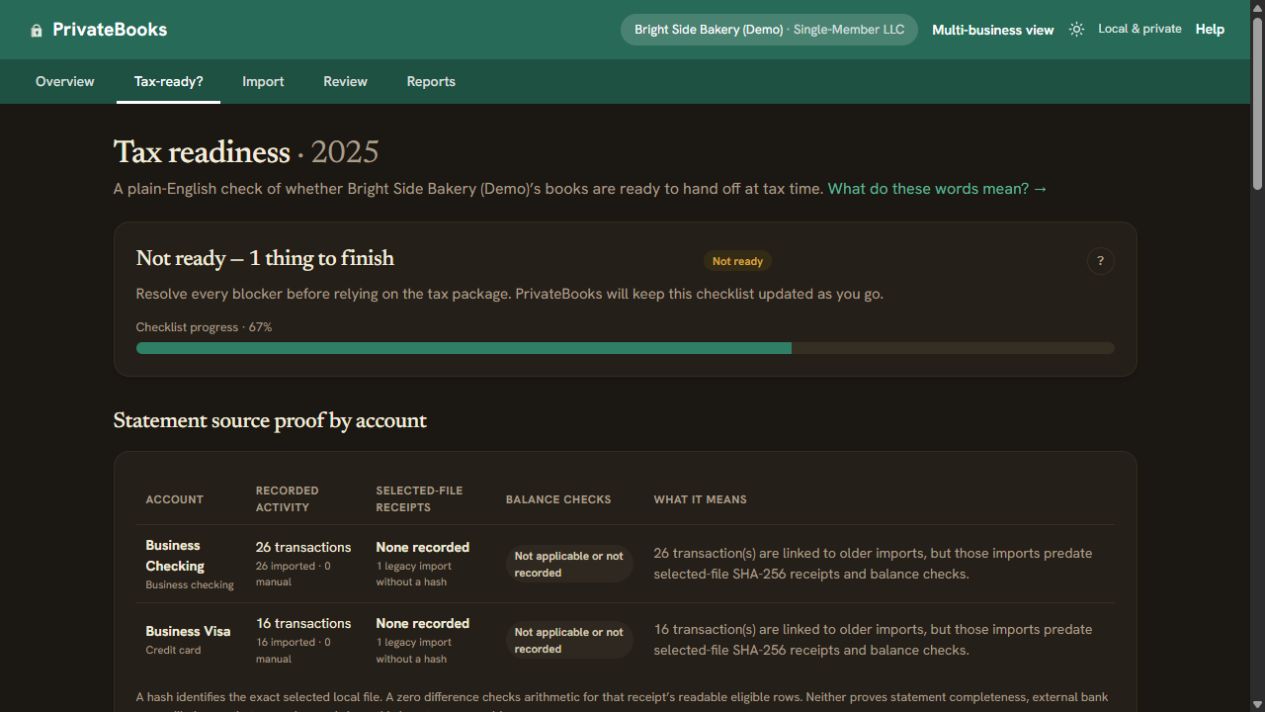
Tax readiness is year-specific. It checks the records currently in PrivateBooks for unresolved categories, missing supported-rule confirmations, calculation blockers, and warnings. A passing result means the supported built-in checks passed for those local records. The built-in checks do not prove statement completeness, bank reconciliation, receipt sufficiency, tax eligibility, or independent professional review.
For a sole proprietor or single-member LLC using the supported 2025 ruleset, the tax package includes the transaction ledger, Profit & Loss CSV/PDF, versioned Schedule C summary CSV/PDF, support-scope notes, mileage and vehicle Part IV support, home-office inputs, a README, and a manifest. The official Schedule C draft is available only when its blocking items are resolved and intentionally leaves personal identity and filing decisions for you and your preparer.
Partnership, S-corp, and C-corp packages contain neutral bookkeeping totals, not calculated Form 1065/1120-S/1120 returns. Every package remains a draft for preparer review; PrivateBooks does not file, transmit, certify, or approve a tax return.
The optional 25–30% annual cash-reserve band is arithmetic only. It is not an estimated-tax calculation, payment target, safe-harbor result, or due-date schedule; use Form 1040-ES, your state method, and a qualified preparer for those decisions.
6. Close the reviewed year, then make a full-data backup
Closing a year locks its editable financial inputs and records an append-only snapshot of bookkeeping totals, tax lines, the ruleset version, and an input digest. Reopening is allowed and keeps the old event; closing again records what changed instead of rewriting history.
- Open About and choose Back up my data.
- Save the dated
.privatebooks-backuparchive somewhere you control, ideally on storage separate from the computer. The archive contains a consistent database snapshot, every attached receipt, a versioned manifest, and SHA-256 integrity hashes. - To restore, choose the archive and inspect the restore preview. Confirmation is a separate step because the current local data will be replaced.
- Before swapping data, PrivateBooks verifies archive paths, limits, hashes, receipt references, and SQLite integrity, then creates a complete pre-restore recovery archive. It rolls back on failure and retains the newest three surfaced recovery copies.
Older database-only .db backups remain readable for ordinary restore but cannot contain
receipts. Moving into a store edition requires the full-data archive so the database and receipt files
travel together.
7. Know the exact privacy and support boundary
The local data folder—not a single file—contains the database, receipts, settings, local session key, and recovery data. Normal bookkeeping work is fully useful offline. There is no background telemetry, PrivateBooks account, hosted bookkeeping database, advertising, cloud sync, or automatic financial-data upload.
Network activity can still happen outside that core boundary: a public Help, IRS, privacy, or release link opens only when you choose it, and Microsoft/Apple handle their own purchase, install, update, and store analytics. Those services do not receive your PrivateBooks database or receipts from the app.
A diagnostic bundle is created locally only when you request it. You can preview its fields and decide whether to save it for a future verified support channel; the app does not send it. No public support channel is active yet, and no private security-reporting channel is active yet.
Availability and release status
v4: planned at $49.99 one time in the US, with all v4.x updates included. Windows and macOS store plus signed-direct distribution are planned, but no public v4 package is approved or available. Production signing/notarization, store submission/certification, independent Schedule C review, remaining device/accessibility checks, and release approval are still gates.
v3.4.2 macOS: frozen, free, and unsupported. The original public release is available, and its asset matches the recorded SHA-256. Do not substitute a rebuild or third-party copy.
See the current release record Read the public FAQ
PrivateBooks assists bookkeeping and tax preparation. It is not tax advice, does not independently verify your records, and does not replace review by a qualified tax professional before filing.